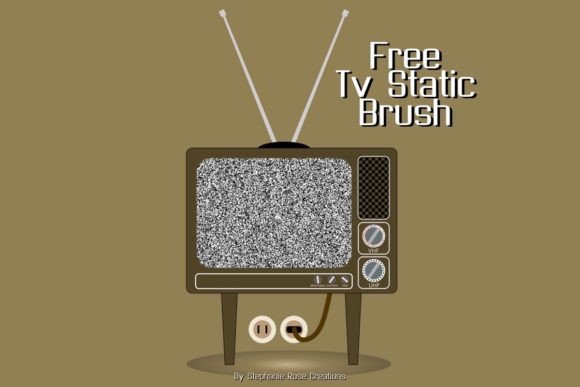
Procreate TV Static Brush Guide
Digital art often strives for perfection, with clean lines and flawless gradients. However, there is a distinct aesthetic power in imperfection. The Procreate TV static brush introduces controlled chaos into your workflow, allowing you to replicate the gritty, nostalgic texture of analog signal loss. This tool is not merely a novelty; it is a sophisticated asset for artists seeking to evoke mood, memory, or unease. Whether you are designing a horror poster, adding depth to a cyberpunk illustration, or creating educational materials about media history, understanding how to leverage this specific texture can elevate your work from standard digital output to something with tangible atmospheric weight.
Understanding the Aesthetic Value
At its core, a TV static brush simulates the visual noise generated when an analog television receives no broadcast signal. This "snow" consists of random black and white pixels flickering rapidly. In a static image, this translates to a high-contrast, granular texture that breaks up solid colors and smooth surfaces. For creators, this is invaluable because it bridges the gap between the sterile precision of vector graphics and the organic unpredictability of traditional media.
The appeal lies in its versatility. While often associated with horror or retro themes, the underlying principle is texture overlay. It adds visual interest to flat areas, creates a sense of age or decay, and can even be used to soften harsh digital edges. When you apply a Procreate TV static brush, you are not just adding noise; you are injecting a specific cultural and sensory reference point into your design.
Perspectives for Different Creators
The utility of this tool varies significantly depending on your role and objectives. What matters to a hobbyist may differ vastly from the priorities of a commercial marketer.
For Beginners and Hobbyists
If you are new to Procreate, the immediate benefit of a static brush is ease of use. You do not need to master complex layer blending modes or spend hours painting individual grains of noise. With a single swipe, you achieve a professional-looking texture. For hobbyists exploring spooky designs or Halloween-themed projects, this brush offers an instant atmosphere boost. It allows you to experiment with mood without requiring advanced technical skills. The priority here is accessibility and fun. You can quickly see results, which encourages further experimentation with other textures and blending options.
For Professional Illustrators and Designers
Experienced artists value the flexibility and customizability of a high-quality static brush. Professionals know that a one-size-fits-all approach rarely works in client projects. A well-made Procreate TV static brush will likely include settings for opacity, size jitter, and scattering. This allows you to tailor the intensity of the static to match the specific lighting and composition of your piece. For a designer working on a music album cover or a book jacket, the ability to subtly integrate static as a background element—rather than having it dominate the foreground—is crucial. The focus shifts from simple application to nuanced integration, ensuring the texture supports the narrative rather than distracting from it.
For Marketers and Small Business Owners
In the crowded landscape of social media, stopping the scroll is essential. Visuals that evoke nostalgia or strong emotional responses tend to perform better. A small business owner selling vintage clothing or retro electronics can use TV static effects in their promotional graphics to reinforce brand identity. For marketers, the key consideration is brand alignment and speed. Using a pre-made brush allows for rapid content creation while maintaining a consistent aesthetic. It helps differentiate your ads from the polished, corporate look that dominates many feeds, offering a raw, authentic feel that resonates with younger demographics familiar with vaporwave or glitch art trends.
For Educators and Publishers
Educators teaching media studies, history, or digital arts can use this tool as a practical demonstration of analog versus digital media. By showing students how to recreate signal loss digitally, you provide a hands-on understanding of how older technologies functioned. For publishers creating zines or independent comics, the static brush adds a DIY, punk-rock aesthetic that aligns with underground culture. Here, the value is in educational clarity and stylistic authenticity. It helps convey a specific time period or cultural movement without relying solely on text.
Practical Applications and Techniques
To get the most out of your Procreate TV static brush, consider these practical approaches tailored to different project types:
- Horror and Thriller Designs: Use the static as an overlay on character portraits to suggest possession, surveillance, or psychological unraveling. Lower the opacity to keep the subject visible while adding an underlying sense of dread.
- Retro Futurism: Combine static with neon colors and geometric shapes. Apply the brush to the edges of shapes to simulate screen burn-in or old monitor displays, enhancing the sci-fi vibe.
- Texture Blending: Do not limit the brush to black and white. Change the color of the brush stroke to match your palette. A blue-tinted static can look like moonlight on water, while red-tinted static can suggest danger or heat.
- Masking and Erasing: Apply the static on a separate layer and use a soft eraser to remove it from focal points. This ensures that important details, such as eyes or text, remain clear while the background retains the gritty texture.
Evaluating Quality and Fit
Not all static brushes are created equal. When selecting a Procreate TV static brush, consider the following factors to ensure it matches your needs:
- Resolution and Scalability: Does the brush maintain its texture quality when scaled up for large prints? Poorly made brushes may pixelate unnaturally, breaking the illusion.
- Customization Options: Check if the brush settings allow you to adjust spacing, scatter, and size jitter. High flexibility means you can create multiple variations from a single brush file.
- Performance: On older iPad models, complex brushes with high particle counts can cause lag. Look for optimized brushes that deliver the visual effect without compromising device performance.
- Licensing: If you are a professional or business owner, verify the license terms. Ensure you have commercial rights to use the brush in client work or products for sale.
For the casual user, free or low-cost options may suffice. However, professionals investing in long-term tools should prioritize brushes from reputable creators who offer updates and support. The right tool saves time and reduces frustration, allowing you to focus on creativity rather than troubleshooting technical issues.
Integrating Into Your Workflow
Incorporating a new brush requires a shift in mindset. Instead of viewing static as an error, view it as a design element. Start by experimenting with blending modes. Multiply can darken the underlying colors, while Screen can lighten them, creating different atmospheric effects. Try using the static brush on adjustment layers to affect the entire composition globally, or clip it to specific layers for localized texture.
Remember that subtlety is often more powerful than excess. A hint of static can suggest age or mystery, while overwhelming noise can obscure your message. Test your designs on different screens, as the perception of grain can vary between mobile devices and desktop monitors. By balancing the intensity of the effect with the clarity of your subject, you create work that is both visually striking and communicatively effective.
Ultimately, the Procreate TV static brush is a versatile instrument in the digital artist’s toolkit. It serves diverse purposes across industries, from enhancing spooky illustrations for hobbyists to providing efficient texture solutions for marketing professionals. By understanding its potential and applying it with intention, you can add a layer of depth and nostalgia that resonates with audiences across various contexts.