Mastering the Grass Procreate Brush for Digital Art
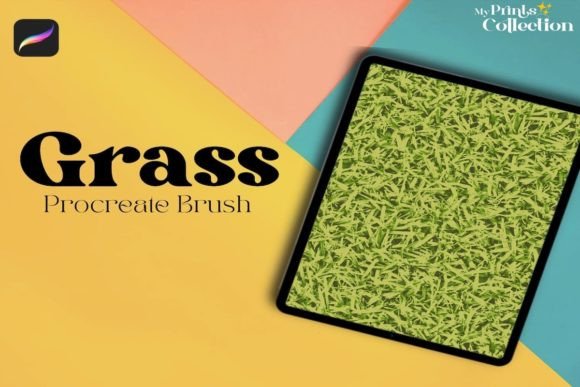
Digital illustration has evolved from a niche hobby into a robust professional industry, yet one persistent challenge remains for many artists: rendering organic textures convincingly. Among these, grass and foliage are notoriously difficult to paint manually without consuming hours of tedious detail work. This is where specialized tools like the Grass Procreate Brush become indispensable assets in a digital artist’s toolkit. Designed specifically for the iPad ecosystem, this tool transforms how creators approach nature scenes, offering a balance of realism and artistic flair that manual painting often struggles to achieve efficiently.
The core value of this brush lies in its ability to mimic the chaotic yet structured growth patterns of real vegetation. Unlike standard round brushes that require you to draw every individual blade, a dedicated grass brush utilizes smart spacing, opacity variation, and shape dynamics to generate clusters of foliage with a single stroke. For professionals working on tight deadlines or hobbyists looking to elevate their landscape compositions, understanding how to leverage this tool can significantly enhance both productivity and visual quality.
Why Specialized Brushes Matter in Digital Landscapes
When creating digital environments, consistency is key. Hand-painting grass often leads to repetitive patterns or uneven density, which can break the viewer’s immersion. The Grass Procreate Brush addresses this by introducing algorithmic randomness within controlled parameters. Each stamp or stroke varies slightly in angle, length, and color pressure sensitivity, ensuring that no two sections of your meadow look identical. This natural variation is crucial for achieving the "organic feel" that distinguishes amateur work from professional-grade illustrations.
Moreover, the psychological impact of detailed foliage should not be underestimated. In concept art, game design, or book illustrations, the environment sets the mood. Lush, well-rendered grass can convey tranquility, wildness, or abundance. By using a tool designed specifically for this purpose, artists can focus more on composition and lighting rather than getting bogged down in the micro-details of individual plant structures.
Key Characteristics and Technical Strengths
To get the most out of this tool, it is essential to understand what makes it effective. The Grass Procreate Brush is not just a simple stamp; it is a complex configuration of Procreate’s brush engine. Here are the notable qualities that define its performance:
- Pressure Sensitivity: The brush responds dynamically to Apple Pencil pressure. Light touches create delicate, thin blades suitable for foreground details, while heavier pressure produces denser, thicker clumps ideal for mid-ground massing.
- Streamline Stabilization: Built-in stabilization ensures that long, sweeping strokes remain smooth, preventing jittery lines that can make foliage look artificial.
- Color Blending: High-quality grass brushes often incorporate subtle color shifts, allowing underlying layers to peek through. This creates depth and prevents the "flat sticker" look common with lower-quality assets.
- Customizable Spacing: Users can adjust the spacing between brush stamps, giving control over whether they want a sparse, dry field or a lush, overgrown garden.
It is important to note the technical constraints. This tool is optimized exclusively for the Procreate App version 5 or higher. It is not compatible with Photoshop, Illustrator, or other desktop-based software. This limitation is due to the unique way Procreate handles brush engines on the iPad’s touch interface. Ensuring your software is up to date is the first step in avoiding performance issues or missing features.
Practical Applications Across Industries
The utility of the Grass Procreate Brush extends far beyond simple landscape paintings. Its versatility makes it relevant for various professional and creative sectors.
Concept Art and Game Design
In the gaming industry, speed is often as valuable as quality. Concept artists use this brush to rapidly block out environments. Whether designing a fantasy realm or a realistic survival game, the ability to quickly iterate on terrain textures allows for faster feedback loops with art directors. The brush helps visualize how light interacts with dense foliage without requiring a full 3D render.
Children’s Book Illustration
Illustrators often need to create whimsical, soft-edged environments. By adjusting the opacity and flow settings, the grass brush can produce softer, painterly effects that suit the gentle aesthetic of children’s literature. It allows for quick background creation, letting the artist focus more energy on character expressions and narrative elements.
Architectural Visualization
While architects primarily use CAD software, preliminary sketches and presentation boards often benefit from a hand-drawn touch. Adding realistic landscaping around building concepts humanizes the design. The Grass Procreate Brush helps soften hard architectural lines, making proposals feel more inviting and integrated with their natural surroundings.
Social Media and Content Creation
For influencers and digital marketers, eye-catching visuals are currency. Creating custom backgrounds for quotes, product showcases, or seasonal posts can be done efficiently with this brush. A well-composed nature scene adds warmth and authenticity to brand messaging, enhancing engagement rates.
Maximizing Efficiency and Workflow
Integrating this brush into your workflow requires more than just selecting it from the library. To truly boost productivity, consider these practical recommendations:
- Layer Management: Always paint grass on separate layers. This allows you to adjust the color balance, opacity, or blend mode (such as Multiply or Overlay) without affecting the rest of your artwork. It also makes editing easier if you need to erase specific areas.
- Foreground vs. Background: Use larger, more detailed strokes for foreground elements where viewers’ eyes will linger. For distant hills or backgrounds, reduce the brush size and opacity to create atmospheric perspective. This technique adds depth and realism to your composition.
- Color Variation: Avoid using a single green hue. Real grass contains yellows, browns, blues, and even purples depending on the lighting and season. Sample colors from your reference images and occasionally switch hues while painting to maintain visual interest.
- Combining Tools: Do not rely solely on the grass brush. Use it in conjunction with smudge tools and standard erasers to refine edges. Breaking up uniform patterns with manual tweaks ensures the final result looks hand-crafted rather than generated.
Evaluating the Right Tool for Your Needs
When selecting a Grass Procreate Brush, consider the specific style of your work. Some brushes are designed for hyper-realism, featuring sharp, high-contrast blades. Others are stylized, offering softer, impressionistic strokes. Test different brushes with your typical canvas sizes to ensure they perform well at both high and low resolutions. Remember, the best brush is one that feels intuitive to your hand and supports your artistic voice rather than dictating it.
Ultimately, the goal is to enhance your creative expression, not replace it. The Grass Procreate Brush is a powerful facilitator, removing technical barriers so you can focus on storytelling and composition. By mastering its nuances and respecting its technical requirements, you can elevate your digital art, creating lush, immersive worlds that resonate with viewers across personal, educational, and commercial platforms.