Evaluating the Metal Round Rust Procreate Brush for Digital Texturing
Digital illustration has evolved significantly, moving beyond flat colors and simple gradients to embrace complex textures that mimic real-world materials. Among the various tools available to digital artists, specialized brushes play a critical role in achieving realistic effects without the need for extensive manual painting. The Metal Round Rust Procreate Brush is one such tool designed specifically for users of the Procreate application on iPad. This article evaluates the utility, compatibility, and practical applications of this brush, helping artists determine if it aligns with their workflow and artistic goals.
Understanding the Tool and Its Purpose
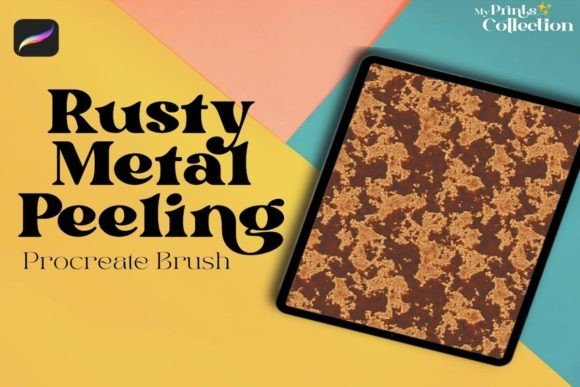
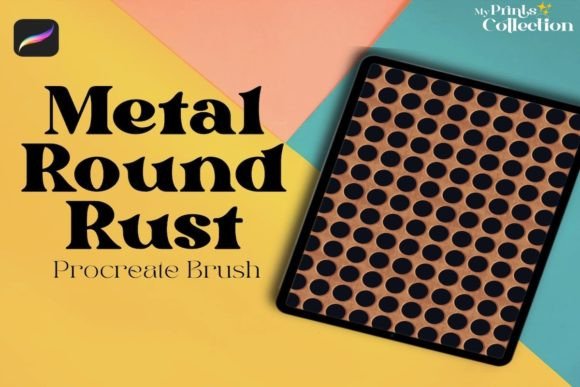
The Metal Round Rust Procreate Brush is a single digital brush engineered to apply metal or rust seamless pattern textures directly onto a canvas. Unlike standard round brushes that deposit solid color, this tool utilizes a custom tip shape and texture overlay to simulate the irregular, granular appearance of oxidized metal. The primary function is to add depth and realism to digital artwork by introducing organic imperfections that are difficult to replicate manually.
For artists working in genres such as industrial design concept art, post-apocalyptic illustrations, or steampunk aesthetics, the ability to quickly generate rust effects is invaluable. Instead of painting each speck of corrosion individually, this brush allows for broad strokes that maintain visual consistency. The "seamless" nature of the pattern ensures that repeated strokes do not create obvious tiling artifacts, which is a common issue with lower-quality texture brushes.
Compatibility and Technical Requirements
Before considering the acquisition of any digital asset, understanding technical constraints is essential. The Metal Round Rust Procreate Brush has specific software requirements that dictate its usability. It is designed exclusively for the Procreate App version 5 or higher. This requirement ensures that the brush leverages the latest rendering engines and texture handling capabilities within the software.
It is crucial to note what this tool is not compatible with. The brush file format is proprietary to Procreate and will not work in Photoshop, Illustrator, or other desktop-based digital art programs. Artists who rely on a cross-platform workflow, switching between an iPad and a desktop computer, should be aware that this asset cannot be transferred directly. If your primary workflow involves Adobe Creative Cloud applications, this specific brush will not integrate into your library, and you would need to seek alternative texture packs formatted for those platforms.
Benefits and Practical Applications
The primary benefit of using the Metal Round Rust Procreate Brush is efficiency. Creating realistic rust textures from scratch requires a nuanced understanding of light, shadow, and color variation. By using a pre-configured brush, artists can bypass the initial setup phase and focus on composition and lighting. This is particularly beneficial for:
- Concept Artists: Who need to rapidly iterate on designs for machinery, vehicles, or environments that show signs of wear and age.
- Hobbyists and Students: Who may not yet have mastered advanced texturing techniques but want to achieve a professional look in their portfolios.
- Comic Book Illustrators: Who often need to depict gritty, urban environments where weathered metal is a common visual element.
Another advantage is the non-destructive potential when used correctly. By applying the brush on a separate layer with blending modes such as "Multiply" or "Overlay," artists can adjust the opacity and intensity of the rust effect after application. This flexibility allows for fine-tuning the look without permanently altering the underlying base colors.
Tradeoffs and Limitations
While specialized brushes offer convenience, they also come with tradeoffs. Relying heavily on a single texture brush like the Metal Round Rust Procreate Brush can lead to a repetitive aesthetic if not varied with other tools. Because the pattern is seamless, overuse may result in a uniform look that lacks the unique randomness of natural decay. Artists must combine this brush with manual detailing, smudging, and color adjustments to break up the pattern and ensure realism.
Furthermore, the specificity of the tool means it has a narrow scope. It is excellent for rust and aged metal, but it is not a versatile all-purpose brush. Users expecting a multi-functional tool for skin tones, foliage, or clean mechanical surfaces will find this brush limited. It is a specialist instrument, not a generalist one.
Decision-Making Insights: Is This Brush Right for You?
To determine if the Metal Round Rust Procreate Brush is a worthwhile addition to your toolkit, consider your current project needs and software ecosystem. If you are an iPad-only artist using Procreate 5+ and frequently illustrate subjects involving decay, industry, or history, this brush addresses a specific pain point efficiently. It reduces the time spent on texturing and allows for faster iteration.
However, if you work primarily in Photoshop or require assets that sync across multiple devices and software suites, this brush is not a viable option. In such cases, investing in high-resolution raster texture images or vector-based rust patterns might be more appropriate, as these can be imported into virtually any design software.
Additionally, evaluate your skill level and learning goals. If you are aiming to master manual texturing techniques, relying on preset brushes may hinder your development. Conversely, if you are looking to streamline a professional workflow where speed is prioritized, this tool offers a logical solution. Always consider whether the cost of the brush is justified by the time it saves you over the course of several projects.
Conclusion
The Metal Round Rust Procreate Brush serves a distinct niche within the digital art community. It provides a straightforward method for adding realistic metal and rust textures to Procreate artworks, provided the user meets the software version requirements. While it is not compatible with desktop applications like Photoshop or Illustrator, its value for iPad-based creators is clear. By understanding its limitations regarding pattern repetition and scope, artists can effectively integrate this tool into their workflow, balancing efficiency with creative control. Ultimately, the decision to use this brush should depend on your specific artistic style, technical setup, and the frequency with which you require weathered metal effects in your work.